Home Solar Maintenance Checklist NZ: 9 Spring Checks for More Summer Power

The easiest way to keep a home solar system earning its keep is a short spring routine: compare this year's numbers with last year's, get your monitoring back online, look over the panels from the ground, clear any new shade, check the inverter and battery settings, and know what to do after a storm or power cut. Most of it takes an afternoon. None of it needs a ladder.
This checklist is built for New Zealand homeowners who already have panels on the roof and want them working their hardest through summer.
Spring is when output starts climbing towards its yearly peak, so a fault you catch in September costs you far less than one you only notice in January. If anything below looks wrong, call Apollo on 0800 288 333 and get it sorted before the long sunny days arrive.
1. Pull Up Last Spring's Numbers in Your Monitoring App
Start with the data, not the roof. Open your monitoring app and find your daily or monthly generation for September and October last year. Then look at the last few weeks.
You are not looking for an exact match. Weather changes from year to year, and a grey week in Auckland can pull numbers down on its own. What you want to spot is a steady gap that shows up on clear days too, or a sudden drop on one particular date.
Write down three things: your best clear day last spring, your best clear day this spring, and any day the system produced nothing at all. That little note becomes your baseline for the rest of the year.
If the gap looks real and you want to dig into the likely causes, our guide on why a solar system might be underperforming walks through them one by one.
- Compare clear days with clear days, not a sunny week with a wet one.
- Note your best day and any zero days as a simple baseline.
- A sudden drop on a single date usually points to a fault rather than weather.
2. Reconnect Monitoring That Has Gone Quiet
A surprising number of "broken" systems are working perfectly. The monitoring has simply lost its connection.
This happens a lot after a new router, a changed Wi-Fi password, or an internet provider switch over winter. The panels keep producing and the inverter keeps converting, but the app shows a flat line or an old date.
Check the timestamp on your latest reading. If it is more than a day old, look at the inverter's Wi-Fi or data module for its status light, then reconnect it to your current network using the app's setup steps. Growatt inverters, which we install, come with phone monitoring, so this is usually a five minute job from the couch.
If the app is live and still shows zero while the sun is out, that is a different story. Skip ahead to Step 5.
- Check the date on your latest reading before assuming a fault.
- New routers and changed passwords are the usual culprits.
- Live app plus zero output on a sunny day means move to the inverter check.
3. Look Over the Panels From the Ground
Grab a coffee, stand in the backyard or across the street, and take a proper look at the array. Binoculars or your phone's zoom help a lot.
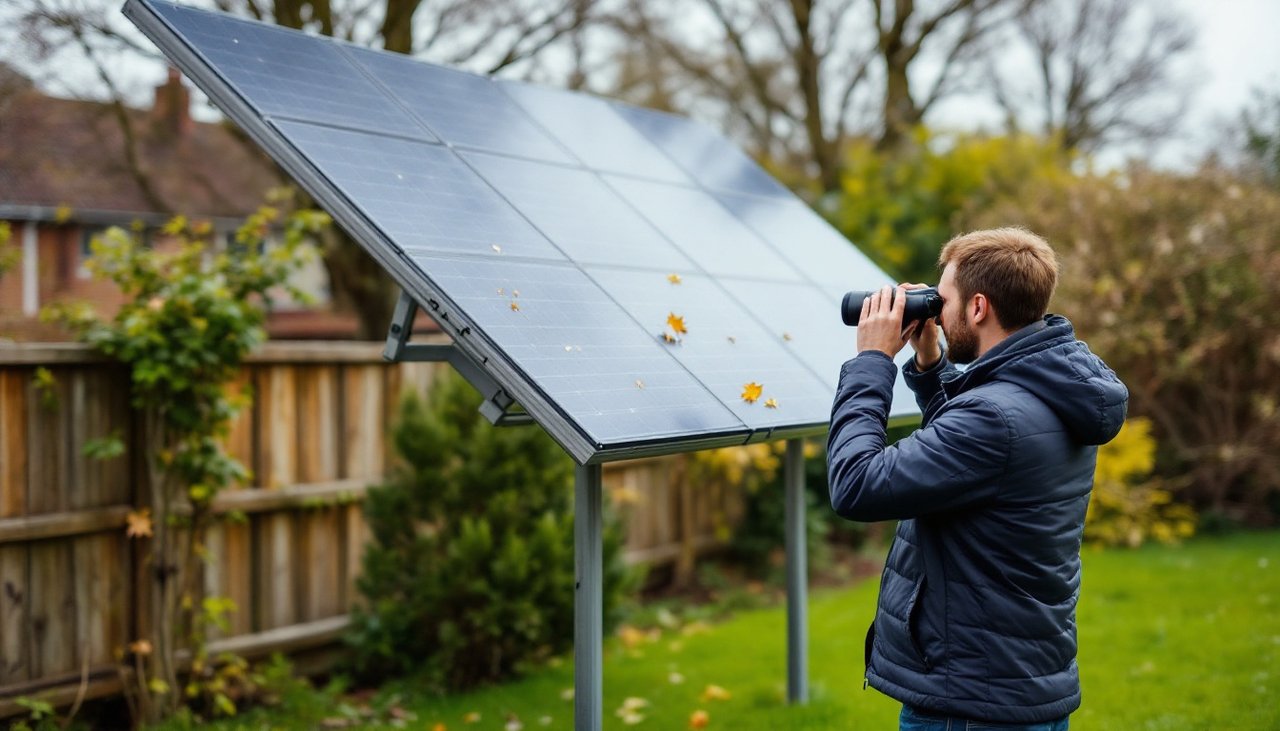
Here is what to look for:
- Bird droppings, leaves or lichen sitting on the glass
- Cracked or discoloured panels
- Cables hanging loose or rubbing against the roof
- Signs of birds nesting under the panels
- Gaps where a clamp or rail looks out of line
Location matters. Homes near the coast around Auckland pick up salt film faster. In Christchurch, a dry nor'wester can leave a layer of dust across the array. Heavy rain rinses off a fair bit of general grime, but droppings and lichen usually stay put.
Please stay off the roof. Wet, dusty or mossy panels are slippery, and the wiring behind them carries live DC power in daylight. If something needs attention, take a photo and pass it on to your installer.
- Inspect from the ground with zoom, never from the roof.
- Coastal salt and Canterbury dust build up faster than you think.
- Photograph anything cracked, loose or nesting and send it to a professional.
4. Clear Shade That Grew Over Winter
Trees do a lot of quiet growing between autumn and spring. A branch that sat well clear of the array last year can now throw a shadow across a panel for part of the day.
Even partial shade matters. On many string systems, shading one part of the array can drag down output from the panels around it.
Walk around the house at mid morning and mid afternoon on a sunny day and see where the shadows fall. Check your own trees, your neighbour's hedge, and anything new like a TV aerial or a raised fence.
Trim what is on your property, keeping well clear of the roof and power lines. If the problem is a neighbour's tree, a friendly chat with a photo of the shadow usually goes a long way.
- Check shadows twice on a sunny day, mid morning and mid afternoon.
- Small shadows can pull down output across several panels.
- Trim from the ground and leave anything near power lines to arborists.
5. Check the Inverter and Its Surroundings
Your inverter is the brain of the system, so give it a quick once over. It usually lives in the garage, on an outside wall, or next to the switchboard.
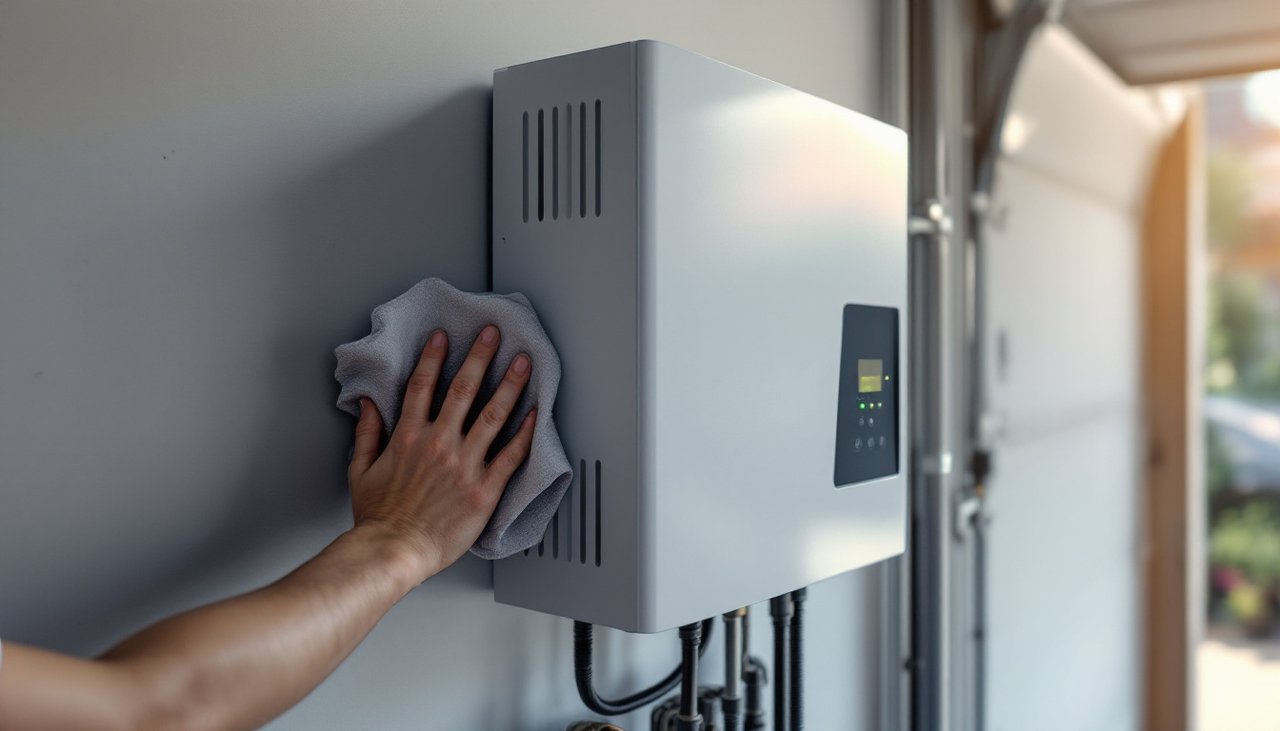
Look at the display or status light. A normal light and a live reading are good signs. A red light, a fault message or a blank screen during daylight means something needs attention. Write down the exact error code, because it is the first thing a technician will ask for.
Then check the space around it. Inverters need airflow to stay cool. Over winter, garages tend to fill up with bikes, boxes and firewood. Clear a good gap around the unit and wipe dust off any vents with a dry cloth.
If the inverter is off, check whether a breaker on your switchboard has tripped. You can reset it once. If it trips again, leave it off and call for help, because a repeat trip is a sign of a fault. For more on how different inverter types behave, see our solar inverter range.
- Record any error code exactly as it appears.
- Keep the area around the inverter clear so it can breathe.
- Reset a tripped breaker once only, and call if it trips again.
6. Switch Your Battery Settings to Summer Mode
If you have a battery, spring is the right time to review how it charges and discharges. Settings that made sense on short winter days are often not the best fit for long summer ones.
Most hybrid inverters, including Growatt models, let you choose a priority: power the home first, charge the battery first, or send energy to the grid. Many households lean towards grid charging or backup reserve in winter, then shift towards self consumption in summer so solar fills the battery during the day and runs the house in the evening.
Open your app and check three settings: the working mode, the backup reserve level, and any charging schedule. If you are not sure what they do, take a screenshot before changing anything so you can switch back.
- Review battery mode, reserve level and schedule each spring.
- Summer usually favours using your own solar over grid charging.
- Screenshot your current settings before you change them.
7. Walk Through the Storm and Power Cut Routine
Spring in New Zealand can still throw big winds and heavy rain. Knowing what to do before it happens saves stress later.
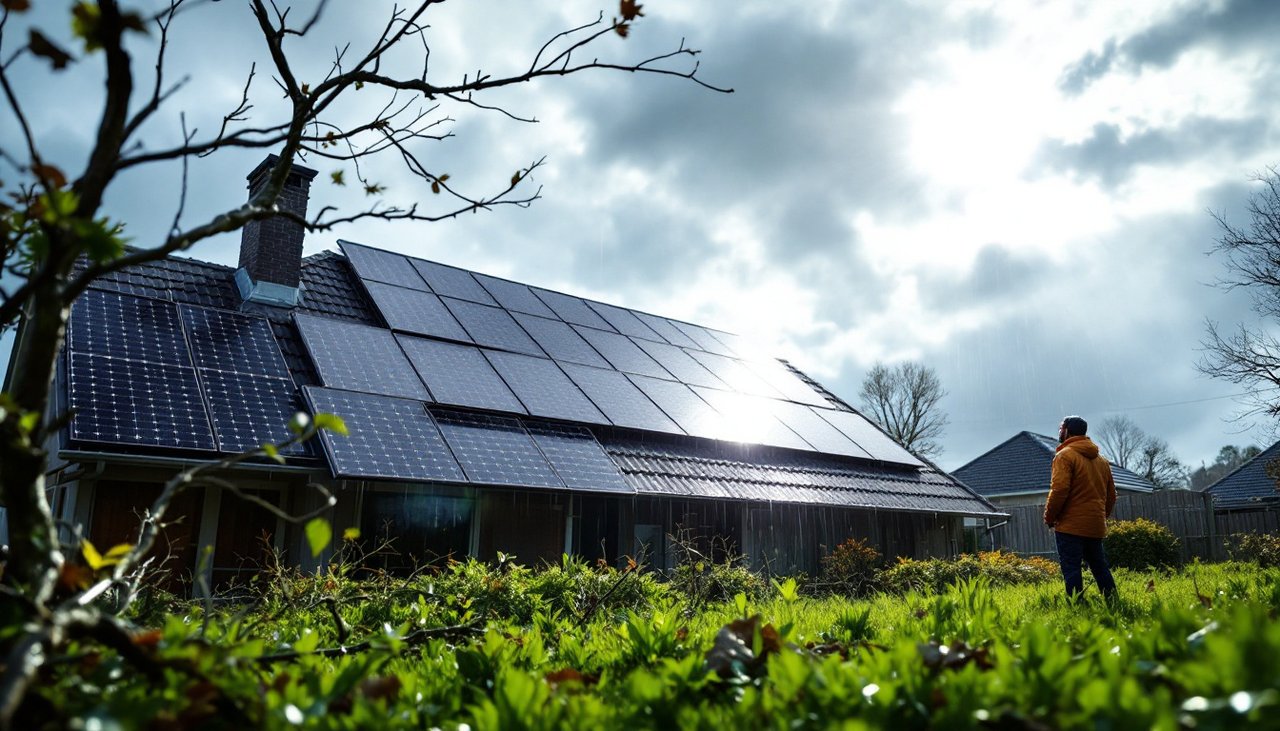
After a storm: check the array from the ground for shifted panels, debris or loose cabling, then look at the app to confirm output returns once the sun is back. If anything looks damaged, keep everyone clear and call your installer.
During a power cut: a standard grid-tied system switches off when the grid goes down. This is a safety feature that protects line workers, so it is not a fault. If you have a battery with backup set up, only the circuits wired to backup will stay on.
When power returns: most systems restart by themselves after a short wait. If yours is still off an hour or so later, check the inverter display and your switchboard.
Electrical repairs in New Zealand must be done by a licensed electrical worker. WorkSafe's energy safety guidance explains why, and it is worth sharing with anyone in the house who likes a DIY fix.
- A system switching off in a power cut is normal behaviour.
- Only backup circuits stay on, and only if a battery is set up for it.
- Leave any electrical repair to a licensed professional.
8. File Your Warranty and Service Paperwork
This one is not glamorous, but it pays off when you need it. Warranty claims move much faster when you can hand over serial numbers, install dates and a record of what you noticed.
Make a single folder, paper or digital, with:
- Your installation invoice and system design
- Panel and inverter model and serial numbers
- Warranty documents
- Your spring baseline notes and photos from Steps 1 and 3
For reference, Trina Solar panels we install carry a 25 year warranty, and Growatt inverters carry a 10 year warranty. Terms vary between brands, so check the paperwork for your own system and any conditions around cleaning or servicing.
- Keep serial numbers, invoices and warranty documents in one place.
- Add your yearly notes and photos so problems have a paper trail.
- Check warranty conditions before cleaning or changing anything.
9. Book a Professional Check When These Signs Show Up
Your own checks catch plenty, but some things need trained eyes and proper test gear. Book a professional inspection if you notice any of these:
- Output is clearly lower than last spring on clear days
- The inverter shows a repeated error code
- A breaker keeps tripping
- A panel is cracked, scorched or discoloured
- Cabling is damaged or animals have got under the array
- Your battery no longer holds charge like it used to
A technician can test the electrical side safely, check connections and mounting, and tell you whether cleaning, a repair or a settings change will make the difference.
- Repeated errors, trips and physical damage always need a professional.
- Clear day drops compared with last spring are worth investigating.
- Professional testing covers the electrical checks you should not do yourself.
Read Quick Answers to Common Questions
Is it safe to get on the roof to check my solar panels?
It is best not to. Panels and roofs get slippery, and the cables carry live power whenever there is daylight. Inspect from the ground with zoom and leave any hands on work to a professional.
Why did my solar stop working during a power cut?
Grid-tied systems are designed to switch off when the grid goes down, which protects people working on the lines. If you have a battery with backup configured, the circuits connected to backup can keep running.
What should I do if my inverter shows a fault code?
Write down the exact code and take a photo of the display. Check whether a breaker has tripped and reset it once if so. If the fault comes back, call your installer with the code ready.
Should I change my battery settings between seasons?
It often helps. Many homes use more grid charging or backup reserve in winter and lean on solar self consumption in summer. Review the mode, reserve level and schedule each spring, and screenshot the old settings first.
- Stay off the roof and inspect from the ground.
- Power cut shutdowns are a safety feature, not a fault.
- A written error code speeds up any repair.
Book Your Spring System Check Before Summer Peaks
Every sunny week with a hidden fault is power you paid for but never used. A quick check now means your system goes into summer ready to deliver.
If your checklist turned up a problem, or you would just like peace of mind, request a system check through our quote page and our team will get back to you. We work across New Zealand from our showrooms in St Johns and Rosedale in Auckland and Hornby in Christchurch.
- Faults found in spring cost less than faults found mid summer.
- Have your baseline notes, photos and error codes ready.
- Reach out now so your system is sorted before the peak months.
Prefer to talk it through? Call Apollo on 0800 288 333 today.